Page 1 of 2
Adv & News font
Posted: 08 Feb 2016 07:32
by hdradio
Hi Bernd
Is there any change in column width in v4 ?
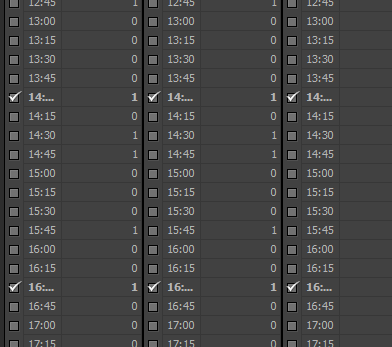
- 2016-02-08_082807.png (5.35 KiB) Viewed 11318 times
Re: Adv & News font
Posted: 09 Feb 2016 20:09
by radio42
Yes, that will be increased a bit in the next version - guess this is due to Microsofts new default font (Segue UI instead of Tahoma).
Re: Adv & News font
Posted: 12 Feb 2016 20:59
by radio42
Fixed in v4.0.1.8 !
Re: Adv & News font
Posted: 16 Feb 2016 07:55
by hdradio
Not fixed
Re: Adv & News font
Posted: 16 Feb 2016 11:41
by hdradio
Here it's not ok:
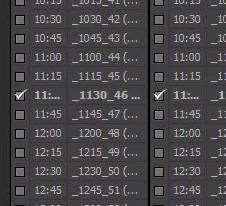
- pf2016-02-16.jpg (12.09 KiB) Viewed 11272 times
It's a new win10 installation. Nothing is installed except PF
Re: Adv & News font
Posted: 16 Feb 2016 12:18
by hdradio
Sorry for not being so detailed.
My screen resolution is 1360X768.
I run Adv& News Management
I edit a campaign. Click Assign button. Slot assignment screen shows up (my last screenshot).
The same is at my backup pc where resolution is 1280x1024.
I have not changed any DPI setting (size of text... 100%).
As I told you I clean installed win10 and PF.
Re: Adv & News font
Posted: 16 Feb 2016 13:28
by radio42
Ahh, that helped, so we have been talking about a DIFFERENT dialog then

As said, from your screenshot I couldn't identify any dialog title...
Re: Adv & News font
Posted: 16 Feb 2016 18:07
by radio42
In the v4.0.1.9-beta that screen has now also been sized accordingly.
Re: Adv & News font
Posted: 16 Feb 2016 19:41
by radio42
That's strange, here it is okay...
Are you testing another dialog, using any certain DPI settings? If yes, a more precise description where something is not as you like it would be highly appreciated...
Re: Adv & News font
Posted: 16 Feb 2016 21:48
by radio42
PLEASE READ my comments ABOVE !!! And be more precise! - a simple: no it doesn't work does NOT help me !!!
I assume, we are looking at different dialogs - may be?
What are your DPI settings? Screen Resolution etc.
What dialog ARE YOU using in your tests? Is that also the 'Dynamic Overlay Assignment' dialog?
If no, which one are you using?
...
From your screenshots I can NOT identify them...