Page 1 of 2
DJ-Players now auto-size to fill the entire playlist
Posted: 12 Feb 2017 17:52
by XTended
After updating to version 4.0.3.1 I saw the dj-players now auto-size to fill the entire playlist. Great if you use 2 monitors (like it should be), but not very great if you use one big 24-inch monitor. Normally everything fitted good on my monitor, but now it isn't.
Yesterday I updated to the latest version of ProppFrexx, but I still have the same problem: waveform and music monitoring player A not completely visible (see the attachments).
Is it difficult to create a disable checkbox for auto-size dj-players? Or do I now have to buy a second screen?
Re: DJ-Players now auto-size to fill the entire playlist
Posted: 12 Feb 2017 18:23
by radio42
Being honest, I don't see your issue. The DJ-Players doesn't even look bad, problematic or wrong in any way!
If you want them 'smaller', you have 3 options:
1) Use 3 DJ-Players as it is recommended anyhow
2) enlarge the panels to the left or right
3) display the AlbumArt in the playlist panel (right-click)
Re: DJ-Players now auto-size to fill the entire playlist
Posted: 12 Feb 2017 19:15
by XTended
Thanks for your reply.
You don't see the issue; I try to make it more clear.
If you look at the image 'layout-proppfrexx-detail.jpg' you can see that the waveform and the music monitor above the waveform is not fully visible. Player B of that same image is good. That's what I mean to tell. Before the update with version 4.0.3.1 I had two complete waveforms.
I just did one of the options: enlarge the panels to the left and right.
Now it is more visible what I meant to say. Check the new attachements.
Re: DJ-Players now auto-size to fill the entire playlist
Posted: 12 Feb 2017 20:13
by radio42
Ahh, why didn't you describe it that way the first time

This issue has already be fixed in a v4.0.3.2 and there is even a .3 available.
Re: DJ-Players now auto-size to fill the entire playlist
Posted: 12 Feb 2017 22:29
by XTended
I already use version 4.0.3.3... that's why I made this topic.
So maybe a .4 must be available
Re: DJ-Players now auto-size to fill the entire playlist
Posted: 12 Feb 2017 22:34
by XTended
This is how it looks like with 3 players.
Because of the available space of the 24-inch monitor, I normally use 2 players.
Re: DJ-Players now auto-size to fill the entire playlist
Posted: 13 Feb 2017 07:27
by radio42
When you made the topic about a 4.0.3.3, why do you write 4.0.3.1 in your initial post?
And I cannot reproduce your issue, see attached images (there is no overlap at all):
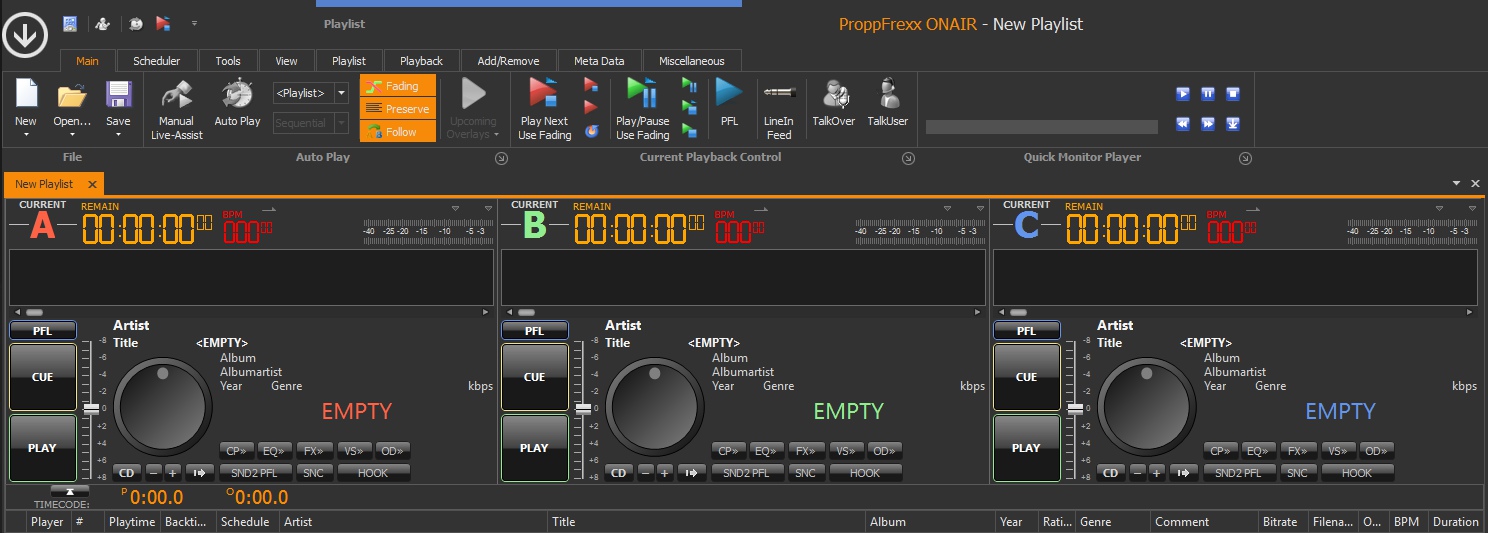
- 3DJPlayer.jpg (226.12 KiB) Viewed 7329 times
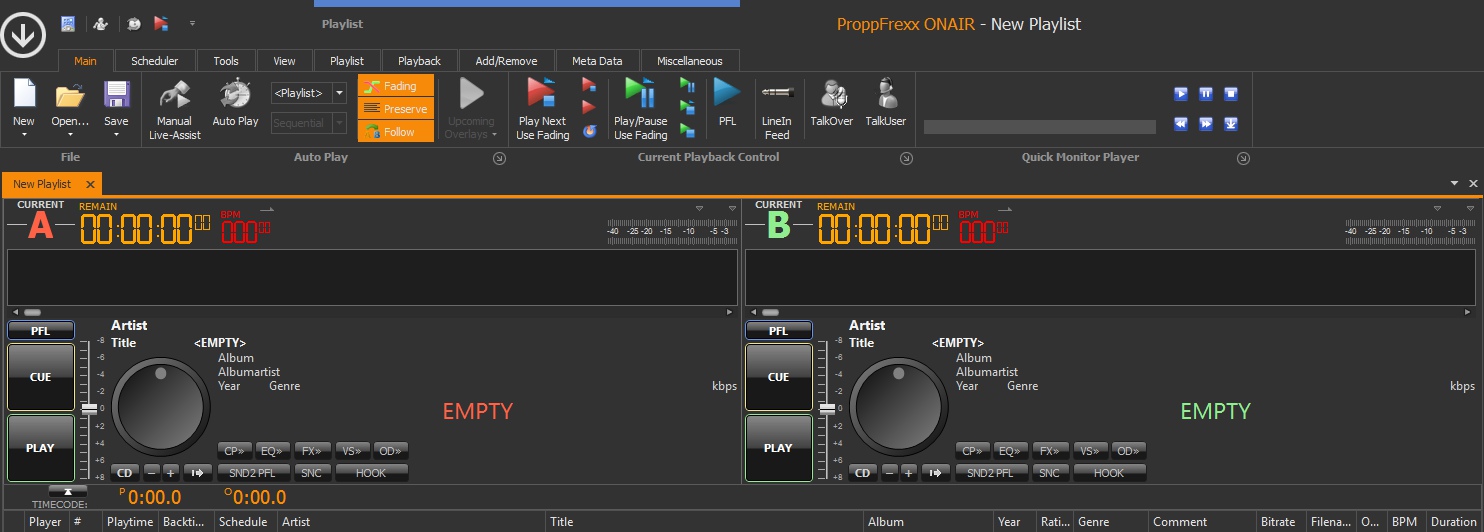
- 2DJPlayer.jpg (187 KiB) Viewed 7329 times
Are you using any special screen or DPI setting?
Re: DJ-Players now auto-size to fill the entire playlist
Posted: 13 Feb 2017 16:28
by XTended
In the first message of this topic I wrote: "After updating to version 4.0.3.1 I saw the dj-players now auto-size to fill the entire playlist..." and "Yesterday I updated to the latest version of ProppFrexx...."
I use a 24 inch screen with a resolution of 1920 x 1200 pixels .
Problem solved: will buy a second screen... or I will use "show stacked (2 rows): best option.
Re: DJ-Players now auto-size to fill the entire playlist
Posted: 13 Feb 2017 16:32
by radio42
I also used for my tests a 24 inch screen with an identical resolution!
But as posted above also with 2 DJ-Players everything was okay.
Can you confirm, that this is now also the case with your setup?
What did you do, so that the problem is solved?
Re: DJ-Players now auto-size to fill the entire playlist
Posted: 13 Feb 2017 18:06
by XTended
Now I see why you can't reproduce my issue: you use 2 or 3 players on 1 screen (I use extra panels at the left and right of the players). Check your images "3DJPlayer.jpg" and "2DJPlayer.jpg": player A starts right below the ribbon (with the buttons "new" "open" etcetera).
About confirmation: since installation of ProppFrexx I use that setup with 2 players and all time it was good, till that update of version 4.0.3.1. Updating till the latest version didn't change anything.
About problem is solved: this afternoon I created 3 players and used the option "show stacked (2 rows)". Now it's fits better. I already posted a screencapture of it.