Page 1 of 1
How to get PFL on Input Device?
Posted: 29 Aug 2024 17:56
by claudius06
Hello Bernd,
I'm coming back to a topic for which I'm still having an issue: before a live broadcast with a guest via Cleanfeed, I would like to check that the connection with them is good. How can I listen to their signal in PFL? The channel works fine when I open it, everything is OK, but if I want to hear it on PFL, it's not possible. In other words: how do I listen to a input device off air? What should I check in my audio configuration on PFOA?
Thank you for your help.
Claude.
Re: How to get PFL on Input Device?
Posted: 29 Aug 2024 23:32
by radio42
You can use the SND function of that input mixer channel.
Ie. route the SND to the PFL output channel.
Re: How to get PFL on Input Device?
Posted: 30 Aug 2024 15:26
by claudius06
Thank you for your response. I believe that's what I did, but it isn't working (see the photos of the Input channel settings (SND button is hide but actived) and the photo of the Input the PFL channel settings, and my apologies for the photo quality).
1/ Did I make a mistake in my configuration?
2/ What action should I take to get the sound in PFL?
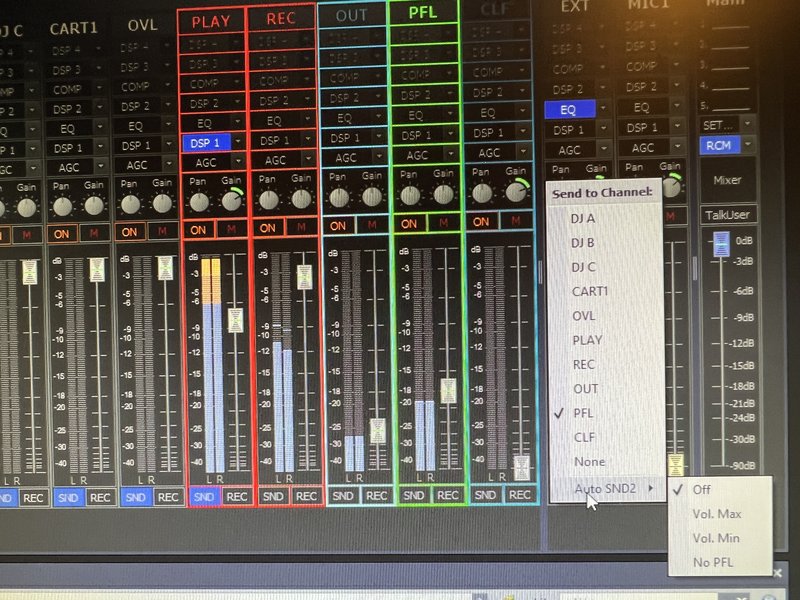
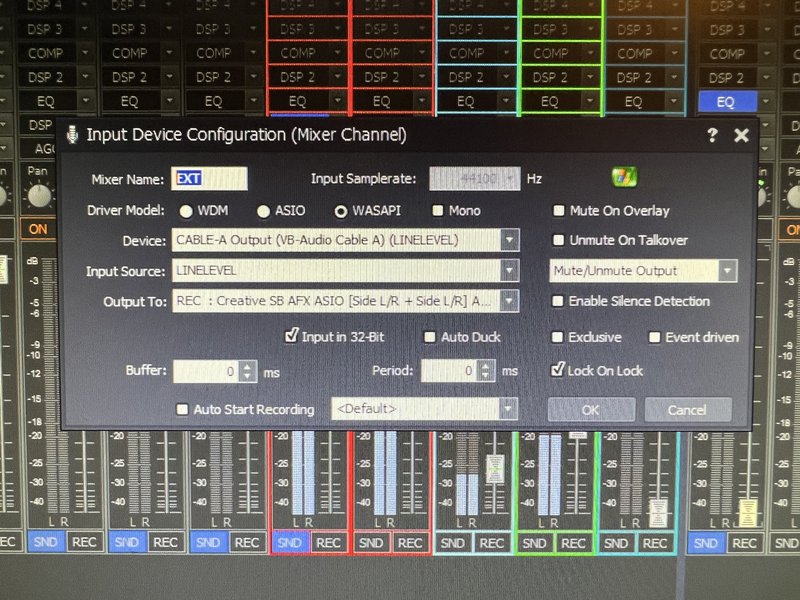
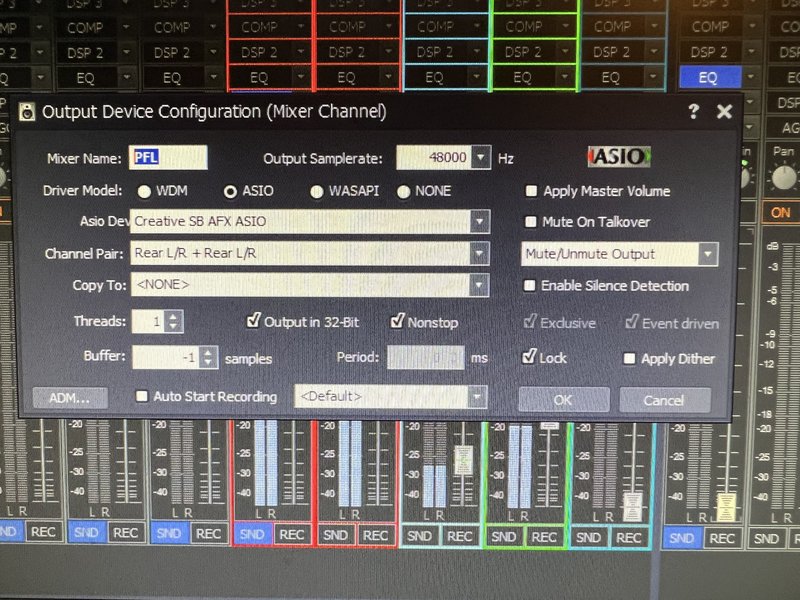
Re: How to get PFL on Input Device?
Posted: 30 Aug 2024 16:03
by radio42
It looks, like your fader of the input mixer channel is totally down - so you can not hear anything. Ie. the fader needs to be up.
May be in your workflow you might want to flip the config of your REC and PFL use. Ie. set the default ‚Output To‘ to the PFL channel. And use the SND to connect it to your REC output.
This way you can always pre-listen, but only use the input effectively when you activate SND ?
Re: How to get PFL on Input Device?
Posted: 30 Aug 2024 16:31
by claudius06
Sorry, I don't understand: if I open the input channel, it's going to be on air, which I don't want. What I want is to check it before opening it, like on a physical mixing console.
In fact, I'd prefer not to change my REC / PFL configuration. I thought that by sending the signal from the channel Input device to ‘PFL’ and pressing SND, I'd get the sound of the channel before sending it on air. If I understand correctly, it's not possible like that?
Re: How to get PFL on Input Device?
Posted: 30 Aug 2024 16:37
by radio42
What is SND is always post fader.
That’s why I advice to just flip your ‚Output To‘ and PFL config.
What is your reason that you don’t want to flip your config?
Re: How to get PFL on Input Device?
Posted: 30 Aug 2024 16:56
by claudius06
I didn't quite understand the configuration you adviced

Now I tested it and it works. Flip it gives me what I want. It's great but there's one problem: in my headphones, I hear the general output at the same time as the channel Input signal (it doesn't cut the sound of the general programme like when I pre-listen to the sound of a deck).
Would you have a solution to avoid this?
Re: How to get PFL on Input Device?
Posted: 30 Aug 2024 21:04
by radio42
You can deactivate the SND of the given output
Mixer channel.
Re: How to get PFL on Input Device?
Posted: 30 Aug 2024 22:19
by claudius06
OK I got it.
Thanks again.